
Our A/B testing tool works with SPA by loading using URL change or monitoring for specific DOM changes.














Single page applications need tests that understand route changes, delayed DOM rendering, and dynamic components. Mida helps teams test modern websites without giving up marketer control.
Target experiments to SPA routes, campaign URLs, and important page states so visitors see the right variant even when navigation happens client-side.
Use visual edits for simple changes and custom code when you need to wait for components, change stateful UI, or handle dynamic content.
Give growth teams a safe workflow for testing headlines, layouts, forms, and CTAs on React, Vue, Webflow, Framer, or other modern frontend sites.
SPA experiments need clear triggers and stable targeting. Mida keeps the setup understandable for marketers while still giving technical teams control when needed.
No. Mida is best for client-side website and marketing experiments. SDK-based feature experimentation is better for backend logic, native apps, and deep product features.
Yes, as long as the site allows custom JavaScript. Mida can target routes and apply variants after dynamic content renders.
Start with navigation, onboarding steps, forms, pricing CTAs, page-level messaging, and other changes that do not require backend logic.
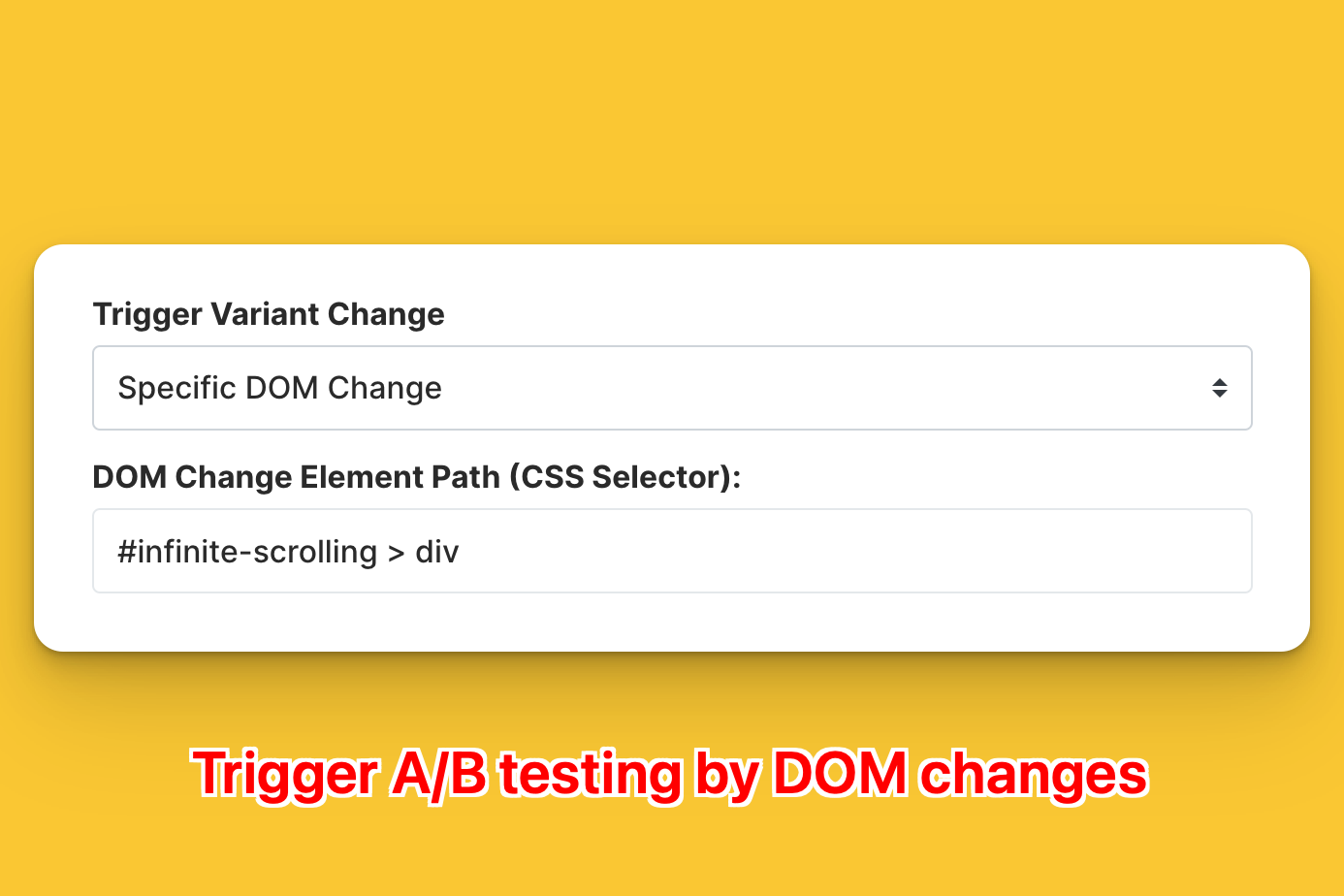
Easily setup SPA triggers for your experiment

Trigger by URL changes
Trigger by any DOM changes
Trigger by a specific DOM change
Instantly when page loads
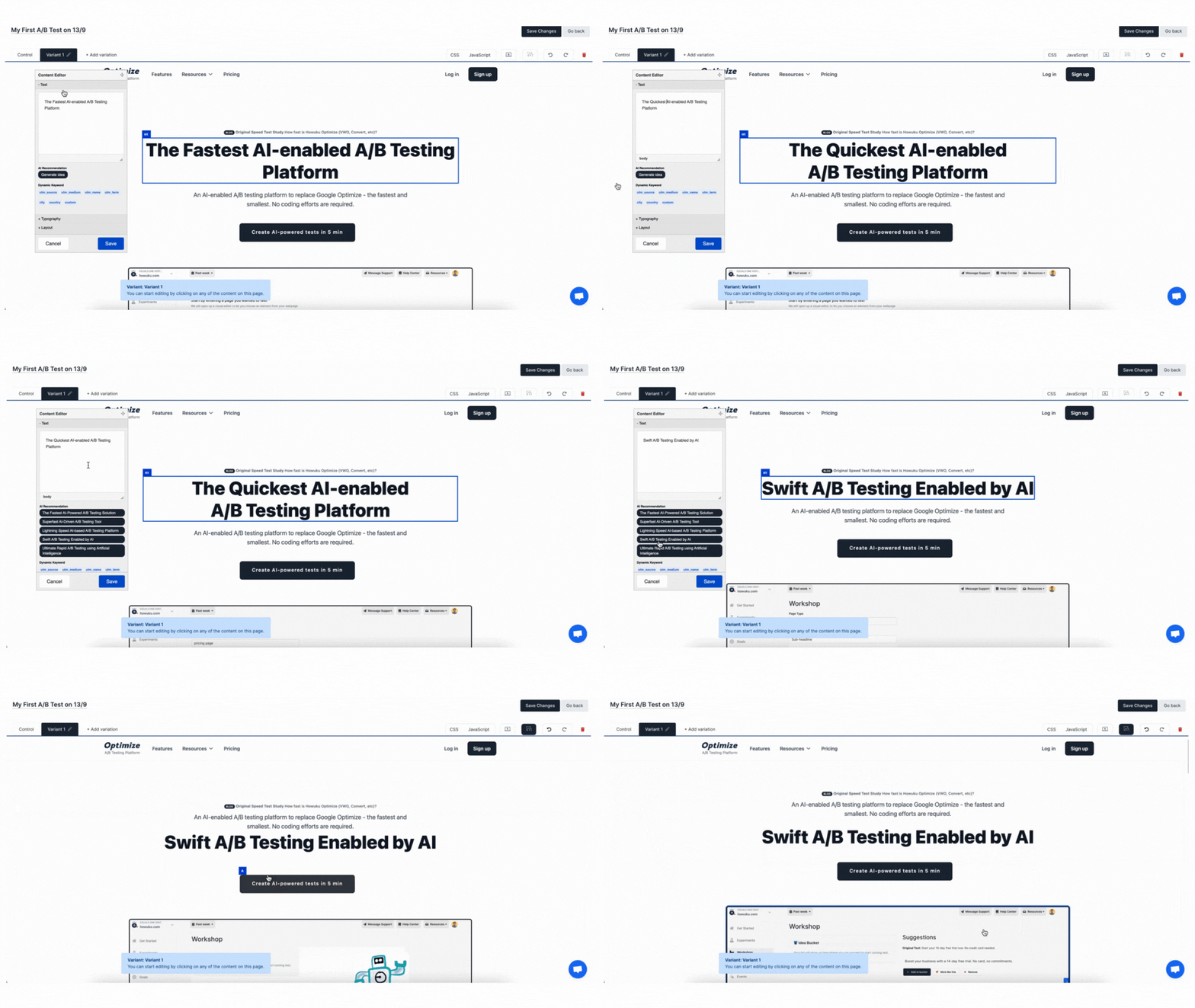
Make changes NOW without waiting for your dev team to make time!
Simply click and edit to make changes on your copy, image URL and styling
Drag-and-drop to reposition elements
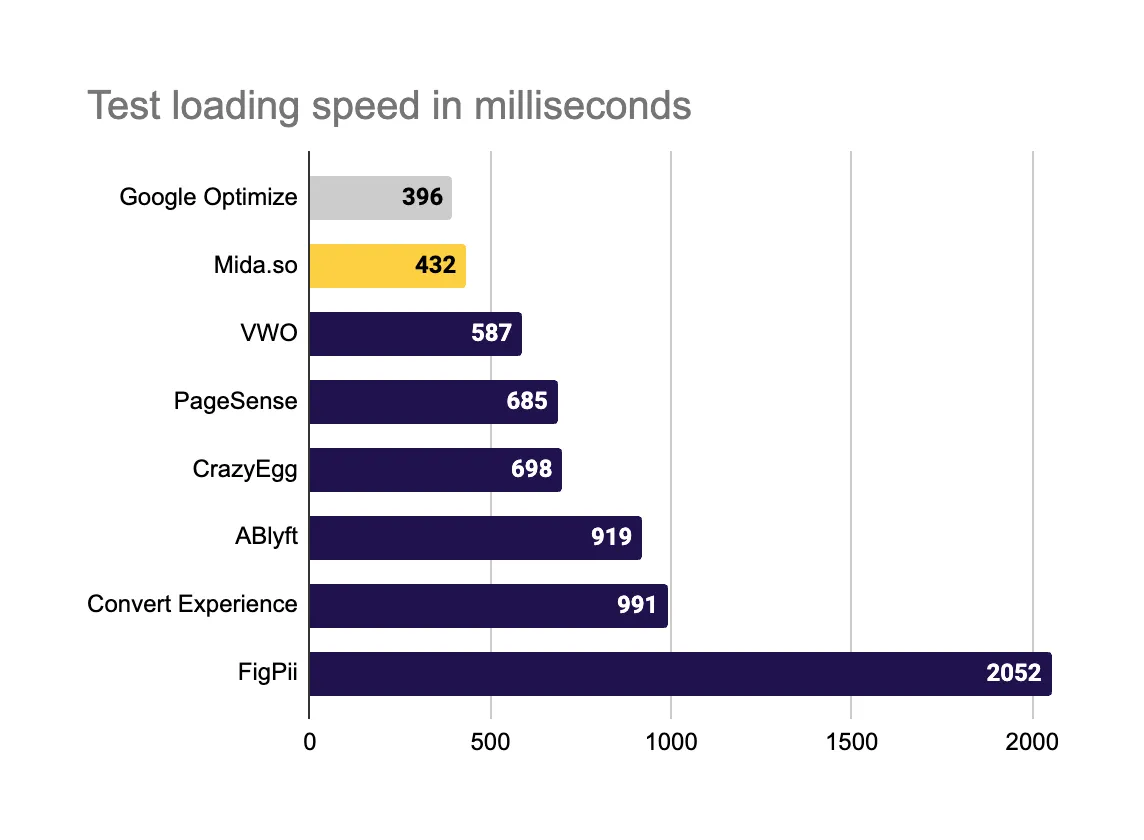
Avoid long page load times that can hurt your conversion rates
Script size is on average 17x smaller
Test loading speed is on average 100% faster

Yes. Mida is designed for modern single page applications and can react to History API URL changes, hash changes, DOM changes, and framework re-renders.
You can choose when a test loads: immediately, after a URL change, after any DOM change, after a specific DOM change, after an element appears, after URL change plus wait-for-element, or manually with mida.execute(test_id).
Use wait-for-element or specific DOM change triggers. Mida can wait for a selector and reapply changes when frameworks such as React or Vue replace elements during rendering.
Yes. Use URL targeting and SPA trigger settings so the test only applies on the intended route. Mida watches route changes and can re-evaluate eligibility as visitors move through the app.
Yes, as long as the Mida snippet can load on the page and the visitor qualifies for your targeting rules. For pages that require a specific state, use preview and QA flows before launching.
Mida keeps the runtime lightweight and supports anti-flicker behavior, but SPA tests should still be configured carefully. For dynamic routes, wait for the right selector and avoid broad changes that fight the framework render cycle.
Yes. Mida can send experiment exposure and conversion events into GA4, Segment, Mixpanel, Amplitude, PostHog, webhooks, and other connected tools.
Mida.so is a super lightweight A/B testing tool to help you experiment, analyze and implement conversion strategies in minutes.


Still deciding?
A quick screen share on your actual site — no slides, no generic tour. Just your questions answered.
30 min · no commitment · no sales pressure