
Change your website content without any coding knowledge.














Mida helps teams publish controlled website changes without waiting for a developer sprint. Use it for campaign banners, CTA updates, urgency messaging, landing page fixes, and winning experiment rollouts.
Use no-code deployment when the change is clear, reversible, and tied to a marketing goal.
When a test wins, keep the winning experience active for the right audience while your team decides whether to make it permanent.
Give marketers a controlled path for small website changes while keeping developers focused on product and infrastructure work.
No-code deployment should still be structured. Mida gives marketers speed while keeping targeting, measurement, and rollback in the workflow.
No. It is best for controlled marketing changes, campaign updates, and validated experiment winners. Permanent product or infrastructure changes should still go through the normal release process.
Yes. You can use targeting so a deployment is shown to a relevant segment instead of every visitor.
Headlines, CTAs, banners, badges, offers, trust copy, proof sections, and small layout changes are good candidates.
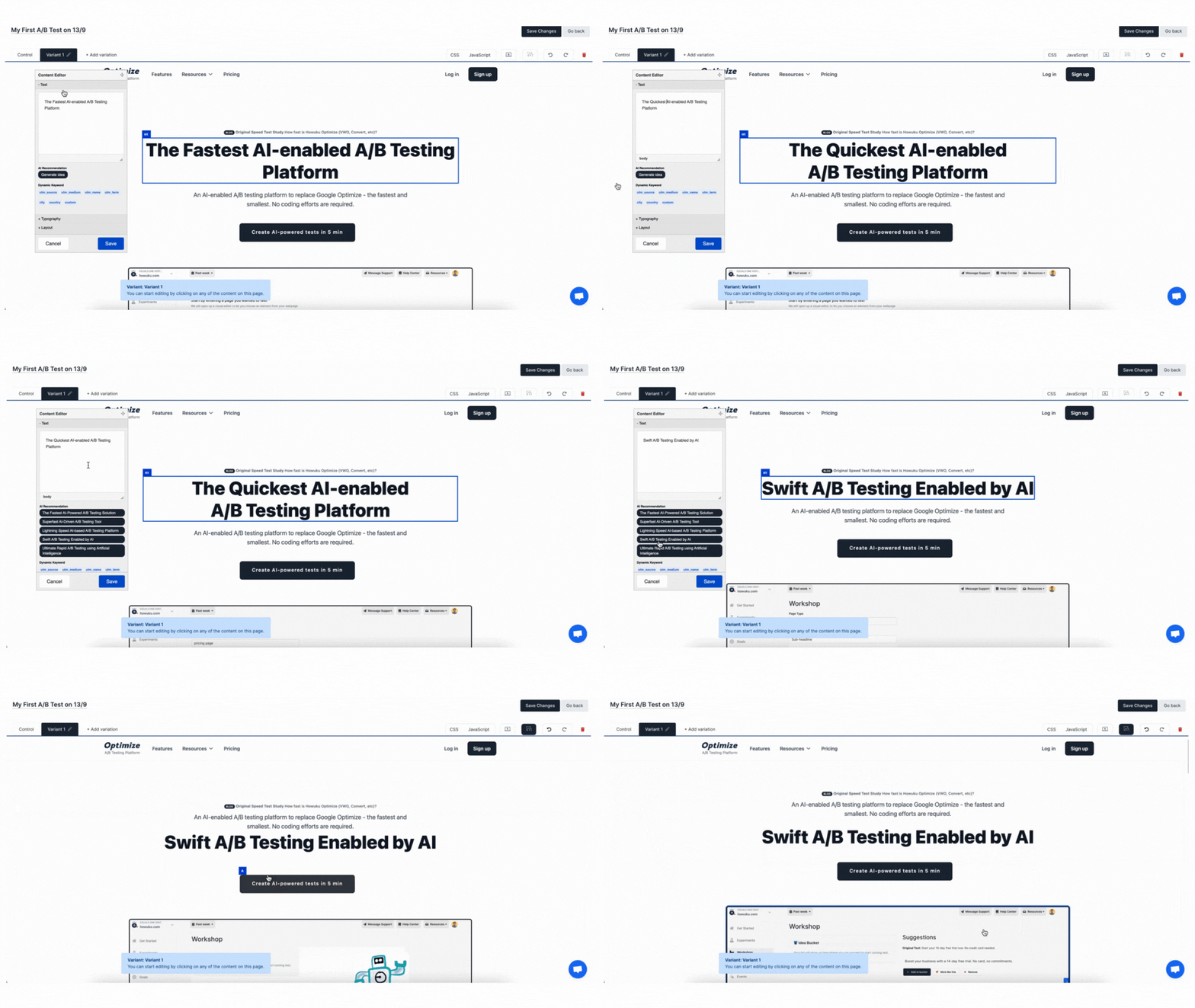

You can publish copy edits, CTA changes, images, banners, style changes, injected HTML, and other page updates from Mida without waiting for a developer release.
An A/B test compares variants and measures a winner. No-code deployment publishes a chosen change to a targeted audience, often after a test has already shown what works.
Yes. Mida deployments can use the same targeting system as experiments, including URL rules, parameters, cookies, device, geography, schedule, segments, events, and campaign signals.
Yes. Use Mida's preview and QA flow to review the page before activating a deployment. This is especially important for checkout, campaign, or high-traffic pages.
Yes. You can pause or disable a deployment when you no longer want the change live. For permanent changes, pass the final version to your CMS or engineering team when ready.
Yes, if the platform allows you to add the Mida snippet to the page head. For Shopify and ecommerce sites, you can also connect deployment outcomes to revenue or conversion goals.
Use the visual editor for simple content and style changes. Use custom JavaScript or CSS when the change depends on dynamic behavior, advanced selectors, third-party widgets, or logic that cannot be expressed through point-and-click edits.
Mida.so is a super lightweight A/B testing tool to help you experiment, analyze and implement conversion strategies in minutes.


Still deciding?
A quick screen share on your actual site — no slides, no generic tour. Just your questions answered.
30 min · no commitment · no sales pressure